Get a MeshCore Observer node on the air in a few minutes. Everything is
done in the browser — no drivers or command-line tools required.
After the first flash, set the radio parameters, a device name, WiFi
credentials, and your MQTT broker(s). There are two ways to do it — both
set the same things, so pick whichever suits you.
Click Console in the header to open the serial console
over USB, then run these commands (substitute your own values):
set radio 910.525,62.5,7,5
set tx 22
set name MyObserver
set mqtt.iata XXX
set wifi.ssid YourWiFiNetwork
set wifi.pwd YourWiFiPassword
reboot
Radio settings must match your regional mesh — the values above are only
an example. Replace XXX with the 3-letter
IATA
code of your nearest airport. See the full guide for timezone
settings and commands to verify the connection.
Community brokers ship as presets — the address,
transport, and credentials are already baked into the firmware, so
pointing a slot at a broker is a single command. Slots 1 and 2 default
to analyzer-us and analyzer-eu; if you are not
in Europe, swap slot 2 for MeshMapper:
set mqtt2.preset meshmapper
Run get mqtt.presets on the device for the list your build
actually ships, or browse the
full preset
table — it notes which ones need extra setup. Boards with PSRAM run
up to five brokers at once; without PSRAM the limit is two.
A cable-free option: on first boot (or after a full erase) the
observer starts its own WiFi hotspot and serves a configuration page,
so you can set the node up from a phone with no cable or terminal.
-
Join the setup hotspot
Power on the device and, within its first few minutes, open the
WiFi list on your phone or computer. Join the network named
MeshCore-Setup-XXXX (the suffix is unique to your
device).
 The observer's setup network as it appears when joining WiFi.
-
Open the configuration page
Your device should open the setup page automatically. If it
doesn't, browse to http://192.168.4.1 in any browser.
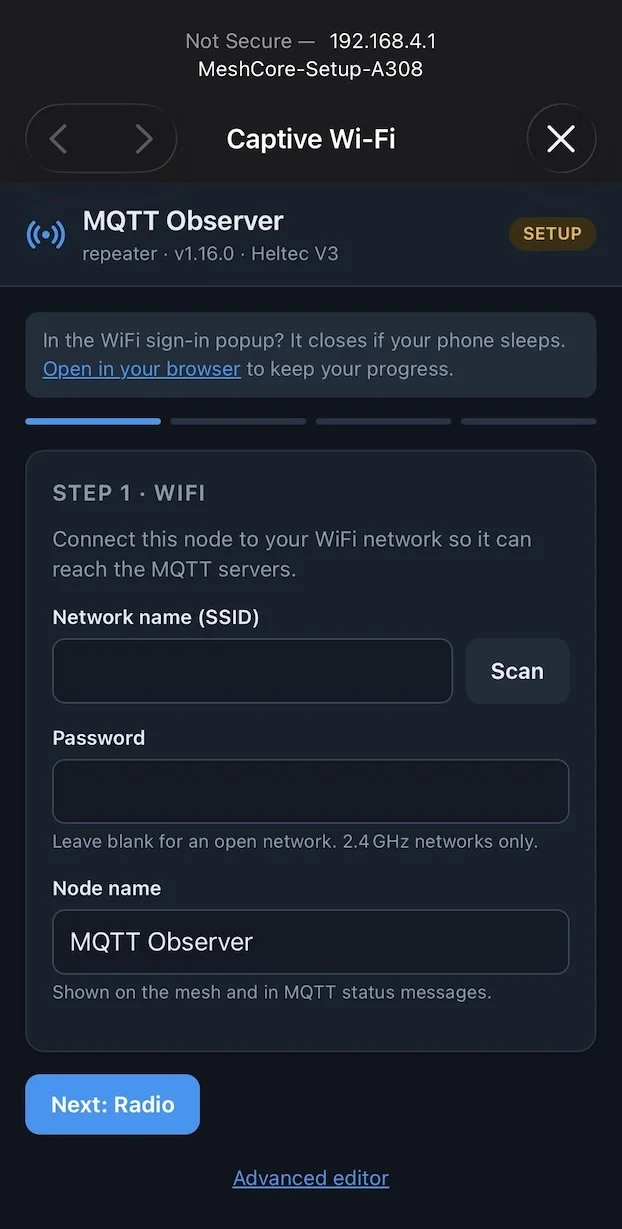 The configuration portal landing page.
-
Enter your settings and save
Fill in your radio parameters, device name, WiFi network, and MQTT
broker preset(s), then save. The observer reboots, joins your WiFi,
and starts uplinking mesh traffic.
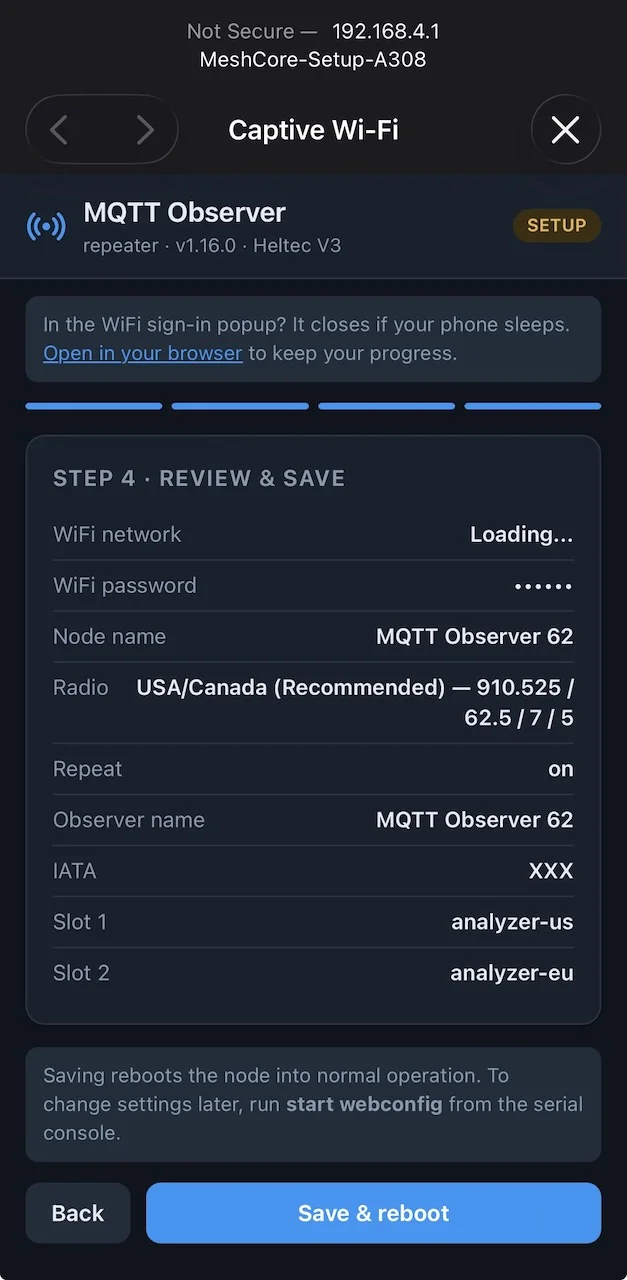 Radio, WiFi, and MQTT settings on the configuration page.
tune
Read the configuration panel guide
open_in_new